Fórumok
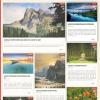
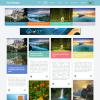
BS_Magazine_01 theme
-
-
The theme work in this way:
When You post the News - they appears in the category and the top (latest News).
The theme need rewrite if You want News only in the category or top.
Need delete the top News (latest News and need put in this area featurebox (in featurebox you can put what you want).
If you want rewrite the theme.
So the theme released this.
Delete this lines from theme.php:<div class='page-top-news'> {BOOTSTRAP_GRID_NEWS_FEATURES_TOP} </div>from:$LAYOUT['magazine_home'] = "
and insert instead that:<div class='page-top-news'> {MENU=10} </div>and activate the featurebox into this menuarea.
You can insert the featurebox what you want.
-
-
-
I do not understand what you want, but I write how the theme work with News.
News shortcodes set in the theme_shortcodes.php.
The categories 1,2,3,4,5 appears in the center column.
The category 6 appears in the right column.
The categories 7,8 appears in the left column.
The latest 4 News appears on the top of page.In this way you can see I set 8 categories.
If you want more need add the shortcode into the theme_shortcode.php.
If no category I insert the manuarea on columns.
This you can see on admin area.
And the right menuarea has the tabs. You can set menu into the tabs. (if you don't want the tabs need delete from theme.php).
I think that is all, how the News work.
I hope that's what you mean.
-
-
Ok a few morre questions if thats alright.
1.I can see you said you created 8 Categories and from what you said they all have preset areas that they appear in.
2.I'm also guessing that you are used the grid_news menu as well as setting the other news menu on the sides ?
Other then that That's all my questions
Thanks again for your help.
Moderator(s): fizi